Its a version of android OS that can be installed on Google Pixel phones. Its a relatively easy switch if you’re technically inclined, but the device needs to be carrier unlocked.
No. As long as the base remains opensource (AOSP), they can remove the bad parts. Graphene has made numerous contributions to AOSP, I’m confident they can manage that. And if the user base growths, I hope their fundings will follow.
It would be a good thing for the world if AOSP was forked with big resources behind an open project with an open governance. But that needs lot of resources.
It’s Android with all of the Google removed where possible and sandboxed where not. You can choose to install the Google Play services and use it like any other Android phone or use it without any Google software.
Some things won’t work, namely things like some banking applications and NFC payments, because they require on hardware attestation that Google will not allow Graphene to pass. Essentially everything that isn’t banking/payment related works exactly like any other Android phone.
It is just a secure phone (though you can still install Facebook on it if you want) that is designed around mitigating attacks that could violate your privacy and security.
Very easy to install, you just buy a Pixel directly from Google (don’t buy from the carriers, they’ll be locked). Enable OEM Unlocking in the Developer menu and then plug it into USB and you can install it directly from the Graphene site via WebUSB. It takes about 5-10 minutes, then your phone will reboot (It’ll give you a scary looking screen about not running a Google OS that you’ll see every time it reboots but it’s just informational, it doesn’t affect anything and the system will boot into GrapheneOS in a second or two).
The more complete instructions and WebUSB install process:


Could you go over what Graphene is for phones? Is it easy to switch to an alternative to android?
Its a version of android OS that can be installed on Google Pixel phones. Its a relatively easy switch if you’re technically inclined, but the device needs to be carrier unlocked.
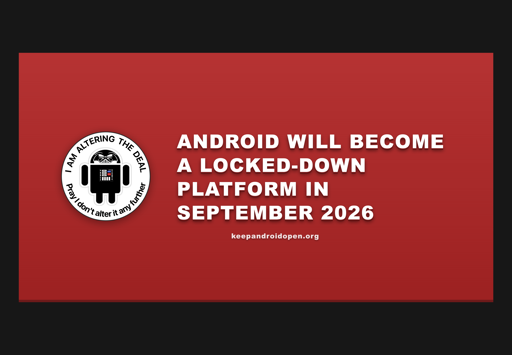
If it’s just a fork of Android, doesn’t that mean 194 days from now they either need to branch off entirely and write their own code from here on out…
Or…
Never advance the base code?
No. As long as the base remains opensource (AOSP), they can remove the bad parts. Graphene has made numerous contributions to AOSP, I’m confident they can manage that. And if the user base growths, I hope their fundings will follow.
It would be a good thing for the world if AOSP was forked with big resources behind an open project with an open governance. But that needs lot of resources.
I’ll switch in a heartbeat if they support a nonGoogle phone
They’re working on it. Unfortunately most phones have poor security hardware, which is why its limited to Pixels at the moment.
It’s Android with all of the Google removed where possible and sandboxed where not. You can choose to install the Google Play services and use it like any other Android phone or use it without any Google software.
Some things won’t work, namely things like some banking applications and NFC payments, because they require on hardware attestation that Google will not allow Graphene to pass. Essentially everything that isn’t banking/payment related works exactly like any other Android phone.
It is just a secure phone (though you can still install Facebook on it if you want) that is designed around mitigating attacks that could violate your privacy and security.
Very easy to install, you just buy a Pixel directly from Google (don’t buy from the carriers, they’ll be locked). Enable OEM Unlocking in the Developer menu and then plug it into USB and you can install it directly from the Graphene site via WebUSB. It takes about 5-10 minutes, then your phone will reboot (It’ll give you a scary looking screen about not running a Google OS that you’ll see every time it reboots but it’s just informational, it doesn’t affect anything and the system will boot into GrapheneOS in a second or two).
The more complete instructions and WebUSB install process:
https://grapheneos.org/install/
What really bugs me about it: The first step from “how to ungoogle your phone” is “go, give money to Google” by buying their hardware.